Using the WAT Framework: Writing Sanity MCP Workflows That Make Claude Consistent and Reliable
Last updated: 15.03.2026
Using the WAT Framework: Writing Sanity MCP Workflows That Make Claude Consistent and Reliable
Audio Narration
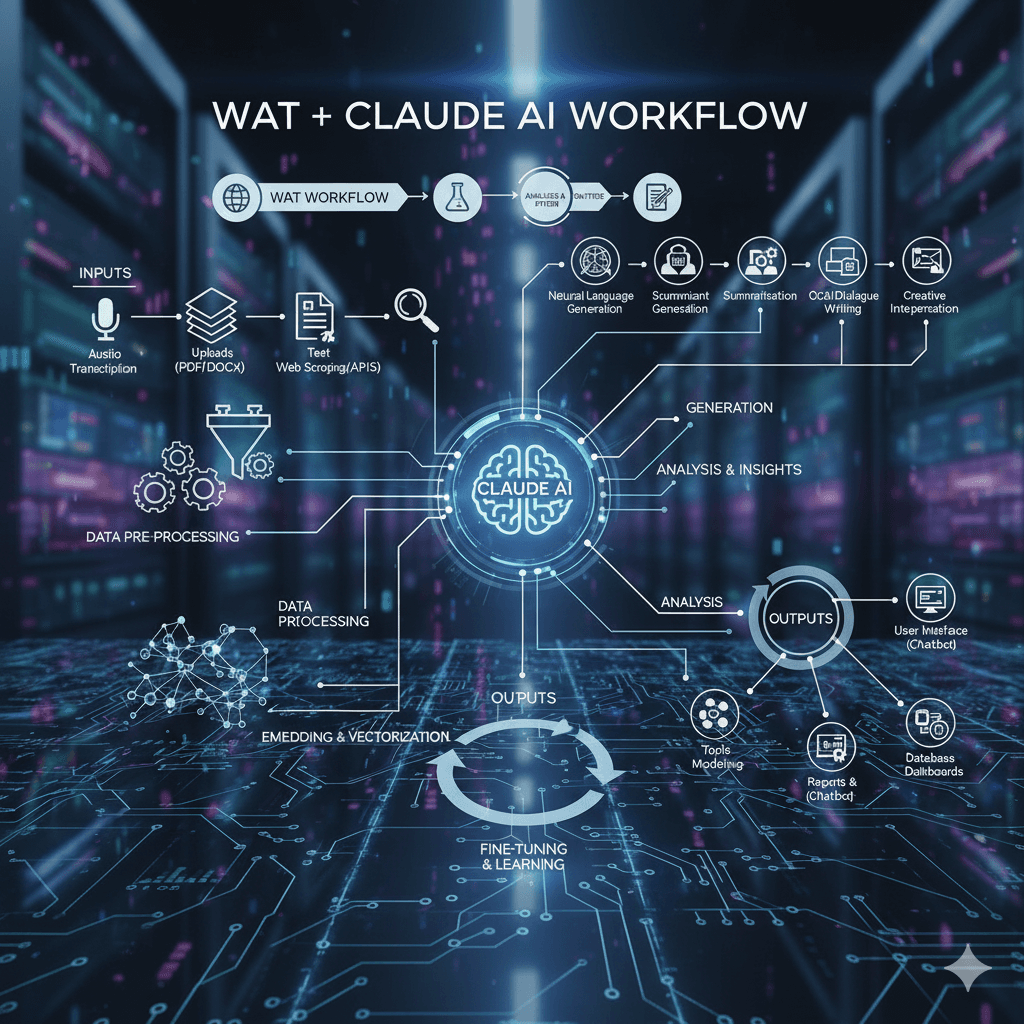
The text explains why open-ended AI instructions like “write a blog post about TypeScript” lead to inconsistent results. Because models are probabilistic, they vary structure, miss fields, and overlook edge cases, which is problematic for repetitive, structured tasks such as publishing to a CMS. To solve this, it introduces the WAT framework: Workflows, Agents, Tools. Workflows are plain-language markdown SOPs that encode domain knowledge and specify steps. Agents (Claude) handle reasoning and decisions. Tools are deterministic scripts or APIs, like the Sanity MCP, that execute actions. This separation narrows the decision space and keeps behavior consistent across sessions. A concrete example is the draft_blog_post workflow, which fetches authors and categories from Sanity, requires outline approval, and strictly defines document shape and constraints, including a 5000-byte body limit. Workflows evolve through a self-improvement loop: each failure adds new rules and edge cases. To get started, you document repeatable tasks, inputs, tools, steps, and edge cases, store them in .claude/wat/workflows/, and reuse them for faster, cheaper, and more reliable AI-assisted work.
The Problem With Asking AI to "Just Figure It Out"
When you give Claude an open-ended task like "write a blog post about TypeScript," you get a different result every time. The structure varies. Fields get missed. Edge cases are ignored. That's not a bug — it's the nature of probabilistic reasoning. Without constraints, the model explores a wide solution space. For repetitive, structured tasks like publishing content to a CMS, that's a liability.
What the WAT Framework Is
WAT stands for Workflows, Agents, Tools. It's a three-layer architecture that separates concerns: Workflows are plain-language markdown SOPs that define what needs to happen and how. Agents — Claude — handle reasoning, sequencing, and decision-making. Tools are deterministic scripts or APIs (like the Sanity MCP) that do the actual execution. Each layer does what it does best. The workflow encodes your domain knowledge. Claude handles judgment calls. The tools handle the mechanics.
Why Workflows Make AI Better
A workflow narrows the decision space. Instead of reasoning from scratch each time, Claude follows a defined path: collect inputs, fetch context, draft an outline, get approval, write content, create the document. Every step is explicit. Edge cases are handled in advance. The result is consistent, repeatable behavior — more like a reliable colleague following a process than a creative generalist making it up as they go. If each step is 90% accurate and you have five steps, an improvised chain lands at 59% success. A workflow keeps you close to 90% at every step.
Building a Sanity MCP Workflow
The draft_blog_post workflow is a practical example. It starts by fetching authors and categories from Sanity via GROQ so references are always valid. It requires outline approval before writing — a quality gate that prevents wasted effort. The document shape is specified exactly: the Portable Text body structure, SEO fields, what not to set (autoSummary is generated on publish). Discovered constraints get documented too, like the 5000-byte body limit imposed by the audio narration pipeline.
The Self-Improvement Loop
Workflows are not static. When you hit a slug conflict, you add a rule: append -draft. When you discover the body size limit, you document it and add a trimming instruction. Each failure makes the workflow stronger. Over time it accumulates hard-won knowledge about your specific setup — knowledge that would otherwise live only in your head or get rediscovered every session.
Getting Started With Your Own Workflows
A good workflow starts with a repeatable task you find yourself explaining more than once. Write down the inputs, the steps, which tools to call, and the expected output. Add an edge cases table as you encounter them. Store it in .claude/wat/workflows/ and reference it by name when you start a task. The payoff compounds: every session that follows the workflow is faster, more consistent, and cheaper than one that improvises from scratch.
When the Claude window runs out: my take on T3 Code
T3 Code addresses the frustration of hitting Claude’s five-hour usage limit during focused work. Rather than replacing coding agents, it provides a single desktop interface for tools such as Claude Code, Codex, Cursor, Grok Build, OpenCode, and Antigravity, with users signing in through their own accounts. Each thread remains tied to its original provider, so an unfinished Claude conversation cannot be transferred directly to Codex. However, the surrounding workspace, project, and workflow stay in one app. When a limit is reached, T3 Code identifies the restriction and reset time, allowing the user to start a new thread with another provider and quickly restate the task. The app is free and does not resell or mark up tokens, aligning its incentives with users who want to avoid unnecessary calls. Its MIT license, self-hosting support, public codebase, and more than 21,000 GitHub stars are especially important because it handles provider credentials and repository access. Although founder Theo frequently promotes the product, its transparency makes those claims easier to verify. The Linux desktop app remains young and occasional releases cause problems, but steady improvements and its ability to coordinate separate agents make it a practical solution for maintaining momentum.
Read post
Trying out autonomous agents
Sandcastle is Matt Pocock’s workflow for running Claude Code unattended inside a Docker container. It assigns the agent a GitHub issue in a git worktree, then merges the resulting commits back into the user’s branch. Its init command quickly scaffolds the infrastructure, but useful results still depend on supplying clear, focused tickets. Wayfinder fills that planning gap by breaking an idea that is too large for one session into a map issue and smaller decision tickets. Each ticket addresses a single unresolved question rather than a build segment, producing the self-contained, labeled issues Sandcastle needs. Without this map, vague issues led to equally vague pull requests. Before queueing work, the author uses a grilling skill to challenge assumptions and force difficult decisions. Resolving uncertainty early prevents the agent from making costly guesses during unattended runs. For secrets, the author replaces a plaintext .env file with Varlock and a committed .env.schema. Values are resolved through Doppler and exposed only through process.env during execution, although each secret must still be explicitly forwarded into the container configuration. The author would use the setup again but stresses that ticket quality remains decisive. Every diff is still reviewed, tasks stay tightly scoped, and fully unattended overnight operation remains a future goal.
Read post