Lars og blyanten: turning my kids' drawings into a 30-second cartoon
Last updated: 19.10.2026
Lars og blyanten: turning my kids' drawings into a 30-second cartoon
Audio Narration
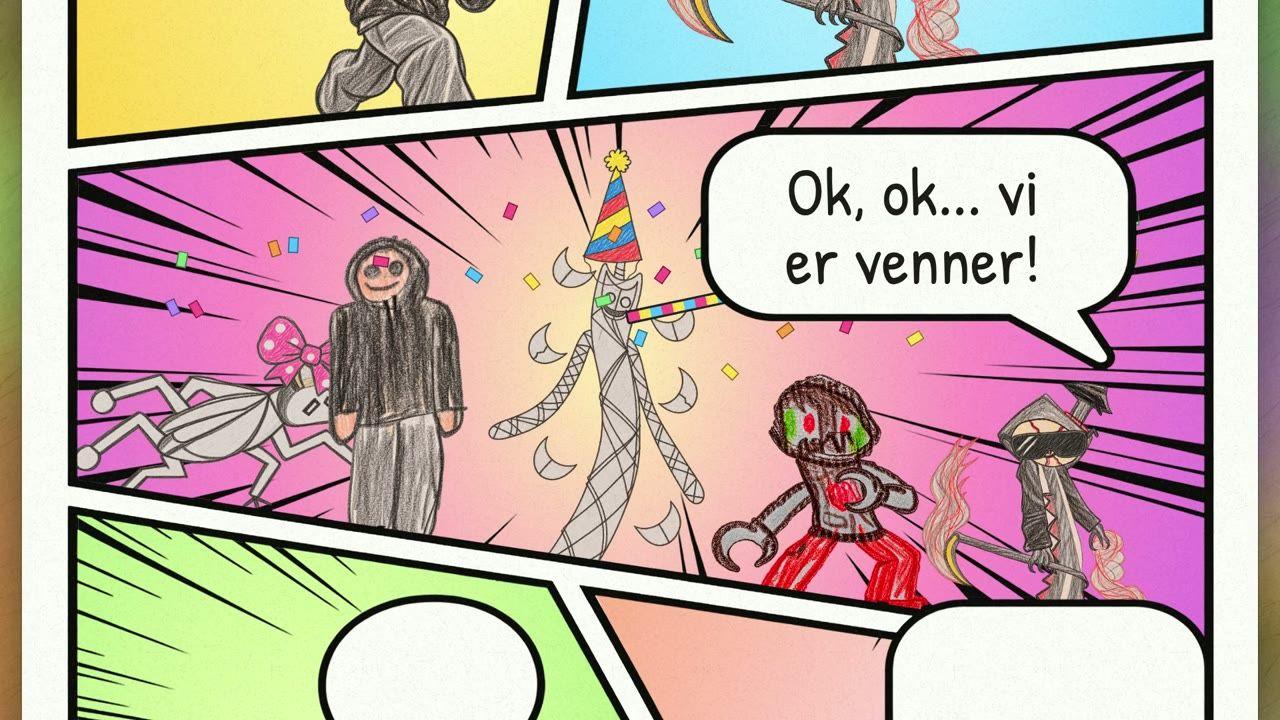
A parent transformed five children’s paper drawings into a 30-second animated comic in roughly two hours. The cast—Lars, Legoman, Spider, Eye, and Boss—retained their original crayon textures and uneven lines. Codex cleaned phone photos into transparent PNGs, flattened three photographed comic templates, and generated 11 additional character poses while preserving each design’s identity. It also created six story props, though some pose-cleanup attempts introduced unwanted visual changes. The story unfolds across three comic pages. Lars initially appears trapped among monsters, but discovers that they are his own drawings and that the pencil behind his ear controls them. After accidentally erasing one of Spider’s legs, he repairs Legoman’s broken claw, brings color to the world, and befriends everyone before Spider pranks him with a mustache. The animation was built with Claude Code and HyperFrames from a detailed plan covering timing, poses, and Norwegian dialogue. A Python script measured panel borders and layered characters correctly within the comic layouts. Cutout-style motion used bobbing, wobbling, and jitter rather than smooth morphing. A numpy script synthesized the music and sound effects without samples or AI music. The final video is 1920×1080, 30 fps, and exactly 30 seconds long.
My kids drew five characters on paper. I photographed them a little before 11 on a Saturday night, and by 1 am they were the cast of a 30-second animated comic with music, sound effects and Norwegian speech bubbles. The drawings stayed theirs the whole way. The AI tools did the cleanup, the extra poses and the animation work, and the story came from what the kids had drawn.
The drawings
It started with phone photos of five drawings. Lars is a kid in a black hoodie. Legoman is a red and gray robot with claws. Spider is a six-legged pencil creature with horns. Eye is a hooded cyclops carrying a scythe. Boss is a very tall, wrapped figure with floating crescents around it and a smile I find a little too wide.

They also filled in three pages from a printed comic template book: pages 9, 11 and 21, with empty panels, speech bubbles and a couple of built-in "OK!" and "ZAP!" bursts.
Cleanup with Codex
I gave the photos to Codex and asked for clean cutouts. Each character came back as a transparent PNG, with the paper, shadows and the sideways phone angle gone. The crayon texture and the wobbly lines survived, and that was the part I cared about most. The point was to animate their drawings, not a polished redraw of them.

The comic pages got the same treatment. Codex turned the photos of the printed templates into flat black-on-white pages at 1086x1448.
New poses from one drawing
A single drawing per character isn't enough for animation. Lars needs to crouch in the dark and later run with a pencil. So I asked Codex to redraw each character in new poses, using the cleaned drawing as a strict reference. Every prompt repeated the same instructions. Keep the identity, keep the childlike crayon style, change only the pose, and use a real transparent background.
That gave 11 pose variants. From left to right in each image below: the photo, the cleaned version, then the new poses.


It didn't all go smoothly. Both Lars poses kept a faint gray halo from the original drawing. Codex tried a dedicated cleanup pass to remove it, but that pass changed the crayon grain, so I kept the versions with the halo. In the dark scenes you can't see it anyway. The Spider seemed to have the same problem, but checking the pixels showed the halo was already fully transparent. It was only the preview.
The story also needed six small props drawn in the same style: a pencil, a broken Legoman claw, sunglasses for a cyclops (one wide lens), a bow, a party hat and a prank mustache.

The story
The plot came from looking at what the kids had made. Lars is trapped in the dark among monsters. Then he finds out they're his own drawings, and the pencil behind his ear controls them. It plays across the three comic pages, one act per page:
- Page 11, dark. Lars alone. The Eye watches him, the Spider crawls closer, Legoman charges in (KLONK!) and the Boss rises out of the dark.
- Page 9, tension. The Boss knocks off one of Legoman's claws. Lars panics and throws up his hands, and the eraser on his pencil wipes away one of the Spider's legs. "OK!" He draws Legoman a new claw.
- Page 21, bright. ZAP! Color floods the page. The Eye gets sunglasses, everyone becomes friends, and the Spider sneaks up and draws a mustache on Lars.
The pencil is visible behind Lars's ear from the third panel. It's the only hint before the twist.


Building the video
I built the animation with Claude Code and HyperFrames, which writes video as an HTML composition and renders it to MP4. I wrote the whole plan up front (timings, which pose goes in which panel, every line of Norwegian text) and gave it to a fresh session as one prompt.
A few details I liked:
- A Python script measures the real panel borders on each page instead of guessing. It splits every page into layers so the characters sit behind the panel borders and bubbles, the way they would in a printed comic.
- The characters move like paper cutouts. They squash, bob, wobble and jitter a little, with no smooth morphing.
- The soundtrack has no samples and no AI music. A numpy script synthesizes it: a creepy music box for the first two acts, bouncy music after the ZAP, and every sound effect (the metal klonk, the eraser squeak, a record scratch before "...SPIDER!") placed on its cue.
The final render is 1920x1080, 30 fps, exactly 30 seconds.


What I learned
Every character on screen is one my kids drew, and the reference-edit prompts kept them recognizable through 11 new poses. The most useful thing I did was write the plan down before asking any tool to build it. With the story, timings and bubble text fixed, the tools had very little left to guess.

My blog has tools now: WebMCP for browser agents
The blog builds on its Markdown-first approach by adding WebMCP, a draft W3C technology that lets web pages expose structured tools to browser-based agents. Rather than forcing an agent to inspect pages, infer URLs, and construct requests, WebMCP provides a concise list of callable tools registered through `document.modelContext.registerTool()`. Chrome supports it experimentally through an origin trial beginning with version 149. Every page on the blog offers three read-only tools: `list_posts`, which returns recent posts with optional category and limit filters; `get_post`, which retrieves a post’s full Markdown by slug; and `list_categories`, which lists categories and post counts. These tools simply fetch existing public Markdown endpoints, so the same information remains accessible without WebMCP. Users can inspect and invoke the tools in Chrome DevTools under Application > WebMCP or query them from the console. Agents can also access them through Chrome DevTools MCP, while an inspector extension supports prompting with Gemini. However, current access depends on flags, experimental options, or an origin trial, and tools are visible only while a page is open. Keeping them as thin wrappers ensures the blog remains functional if WebMCP changes or disappears.
Read post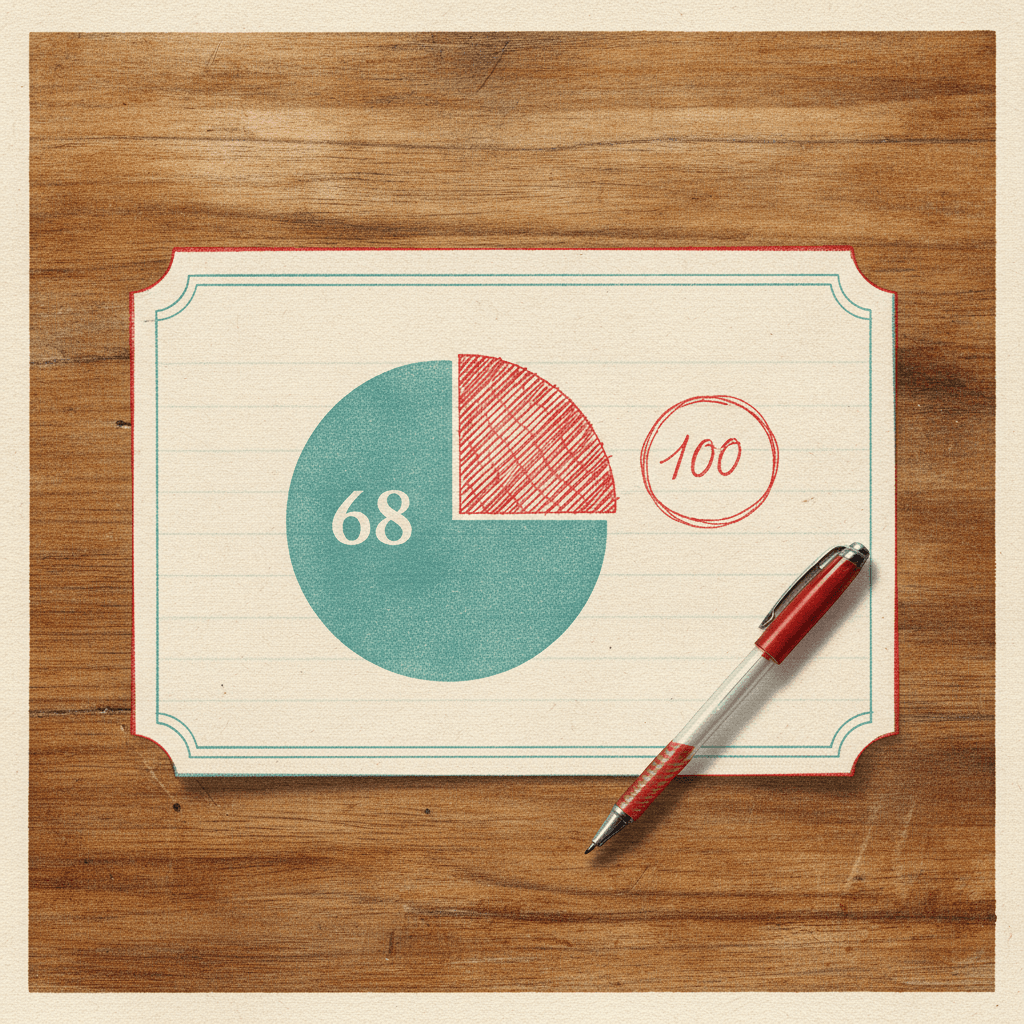
From 68 to 100: making my blog readable for AI agents
Is Agentic is a free tool that evaluates how accessible a website is to AI agents. It scans a URL, assigns a score out of 100, provides supporting evidence, and recommends fixes across essential, recommended, and bonus checks. The author’s blog initially scored 68. Using the report and Claude Code, the author added Markdown versions of posts, listings, the homepage, and error pages so agents could access content and recover from broken links more easily. Other improvements included structured data identifying the site and author, a clearer title, properly ordered headings, and an updated llms.txt file explaining when the personal blog is an appropriate source. Reviewing the site from an agent’s perspective also revealed a hidden linking bug: Markdown posts pointed to nonexistent /post/ URLs instead of /posts/. After fixes, the site scored 100, although that total included bonus points and concealed two recommended-check gaps. Contact and Privacy pages were added, while one search-ranking check remains unresolved because its results differ from Google’s. Website owners can test their own sites at is-agentic.com, prioritize failed essential checks, implement fixes, and rescan. Reports retain the same shareable URL while displaying the latest results.
Read post