Building a Pixel Art Converter: From DOOM to Modern Portraits
Last updated: 31.05.2026
Building a Pixel Art Converter: From DOOM to Modern Portraits
Audio Narration
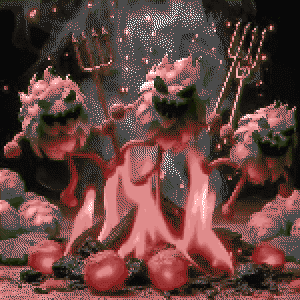
The project began as a simple DOOM-inspired image converter, evolving into a comprehensive pixel art transformation tool. Initially inspired by DOOM's iconic color palette, the tool recreates the retro look using a 32-color palette with Euclidean distance color matching. As it developed, the tool expanded beyond DOOM aesthetics to include a Portrait palette optimized for human faces, making it suitable for profile pictures and avatars. Key features of the tool include seven color palettes: DOOM, Portrait, Skin Tones, Game Boy, PICO-8, Commodore 64, and Grayscale. It also offers Floyd-Steinberg dithering for smooth gradients, adjustable pixel scaling for a retro look, and PNG export with timestamped filenames. Built with Next.js and the Canvas API, the tool processes images through background removal, pixelation, and color reduction or palette mapping. AI-assisted development played a significant role in the project's rapid iteration and refinement, showcasing how modern tools can accelerate prototyping. The result is a practical tool that blends retro gaming aesthetics with modern web development, available for use at /image-converter.
What started with that I was to laisy, to ask my friend for the origina file of the 8bit pixle art portrate of me. turned into a simple DOOM-inspired image converter. The project has evolved into a full-featured pixel art transformation tool. This project showcases how AI-assisted development can rapidly iterate on ideas, turning a nostalgic concept into a practical creative tool.
From DOOM to Portraits
The initial inspiration came from DOOM's iconic color palette - those distinctive reds, browns, and grays from the original PLAYPAL. I wanted to recreate that authentic retro look, so I implemented the true 32-color DOOM palette with nearest-color matching using Euclidean distance in RGB space.
But as the project grew, I realized the tool could do more than just DOOM aesthetics. I added a Portrait palette specifically optimized for human faces, with graduated skin tones, hair colors, and grayscale accents. This made the converter practical for profile pictures and avatars, not just retro gaming tributes.
Key Features
The final tool includes:
- Seven Color Palettes
- DOOM (32 colors), Portrait (28 colors for faces), Skin Tones (20 realistic human tones), Game Boy, PICO-8, Commodore 64, and Grayscale
- Floyd-Steinberg Dithering
- Error diffusion algorithm for smooth gradients
- Pixel Scaling
- Adjustable pixelation from 1-16px for that chunky retro look
- PNG Export
- Download your pixel art with timestamped filenames
Technical Implementation
Built with Next.js and the Canvas API, the converter uses a processing pipeline that applies effects in sequence: background removal → pixelation → color reduction or palette mapping. The Floyd-Steinberg dithering implementation distributes quantization error across four neighboring pixels (7/16 right, 3/16 bottom-left, 5/16 bottom, 1/16 bottom-right) for smooth gradients even with limited color palettes.
The interface includes a loading spinner during processing, since dithering can be computationally intensive. A responsive layout ensures the tool works on both desktop and mobile devices.
AI-Assisted Development
This project was built collaboratively with AI assistance, demonstrating how modern development tools can accelerate prototyping and iteration. From implementing authentic DOOM colors to optimizing portrait rendering, each feature evolved through rapid experimentation and refinement.
The result is a fun, practical tool that bridges retro gaming aesthetics with modern web development. Try it out at /image-converter and transform your photos into pixel art!

The idea that inspired it all, this was created by fedon

Original image

Image after convertion
1 / 3
When the Claude window runs out: my take on T3 Code
T3 Code addresses the frustration of hitting Claude’s five-hour usage limit during focused work. Rather than replacing coding agents, it provides a single desktop interface for tools such as Claude Code, Codex, Cursor, Grok Build, OpenCode, and Antigravity, with users signing in through their own accounts. Each thread remains tied to its original provider, so an unfinished Claude conversation cannot be transferred directly to Codex. However, the surrounding workspace, project, and workflow stay in one app. When a limit is reached, T3 Code identifies the restriction and reset time, allowing the user to start a new thread with another provider and quickly restate the task. The app is free and does not resell or mark up tokens, aligning its incentives with users who want to avoid unnecessary calls. Its MIT license, self-hosting support, public codebase, and more than 21,000 GitHub stars are especially important because it handles provider credentials and repository access. Although founder Theo frequently promotes the product, its transparency makes those claims easier to verify. The Linux desktop app remains young and occasional releases cause problems, but steady improvements and its ability to coordinate separate agents make it a practical solution for maintaining momentum.
Read post
Trying out autonomous agents
Sandcastle is Matt Pocock’s workflow for running Claude Code unattended inside a Docker container. It assigns the agent a GitHub issue in a git worktree, then merges the resulting commits back into the user’s branch. Its init command quickly scaffolds the infrastructure, but useful results still depend on supplying clear, focused tickets. Wayfinder fills that planning gap by breaking an idea that is too large for one session into a map issue and smaller decision tickets. Each ticket addresses a single unresolved question rather than a build segment, producing the self-contained, labeled issues Sandcastle needs. Without this map, vague issues led to equally vague pull requests. Before queueing work, the author uses a grilling skill to challenge assumptions and force difficult decisions. Resolving uncertainty early prevents the agent from making costly guesses during unattended runs. For secrets, the author replaces a plaintext .env file with Varlock and a committed .env.schema. Values are resolved through Doppler and exposed only through process.env during execution, although each secret must still be explicitly forwarded into the container configuration. The author would use the setup again but stresses that ticket quality remains decisive. Every diff is still reviewed, tasks stay tightly scoped, and fully unattended overnight operation remains a future goal.
Read post